网站建设腾讯课堂站长工具精华
WebSocket
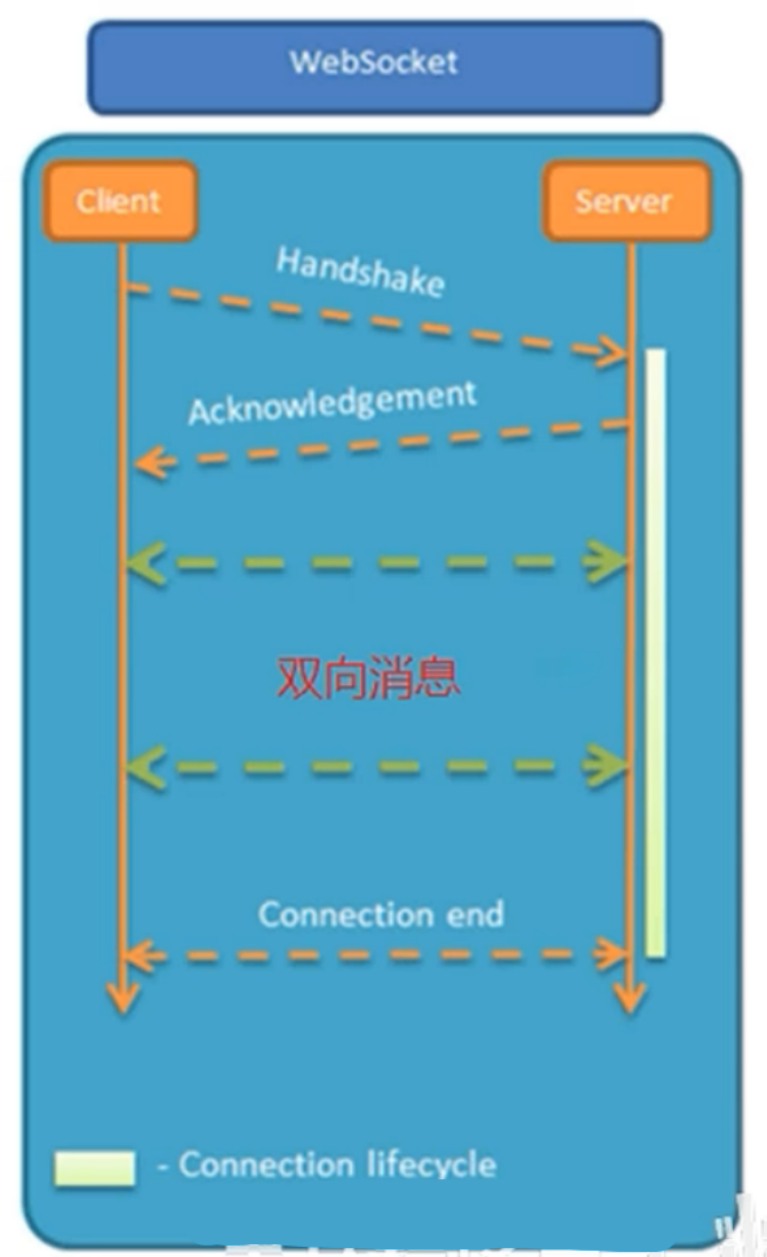
WebSocket是基于TCP的一种新的网络协议, 实现了浏览器与服务器的全双工通信, 即一次握手,建立持久连接,双向数据传输
区别
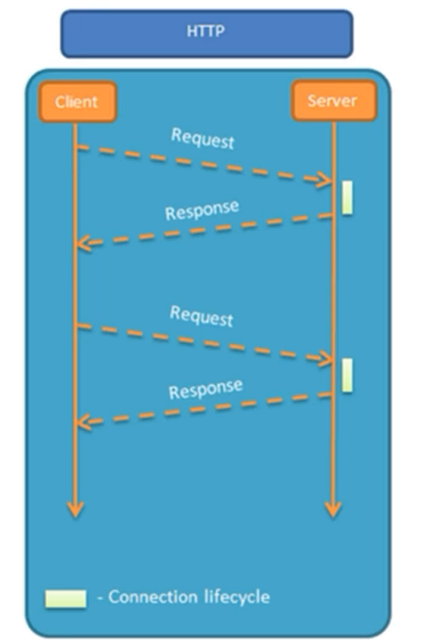
- HTTP是短连接, WebSocket是长连接
- HTTP单向通信, 基于请求响应模型
- WebSocket支持双向通信
相同
- HTTP和WebSocket底层都是TCP连接
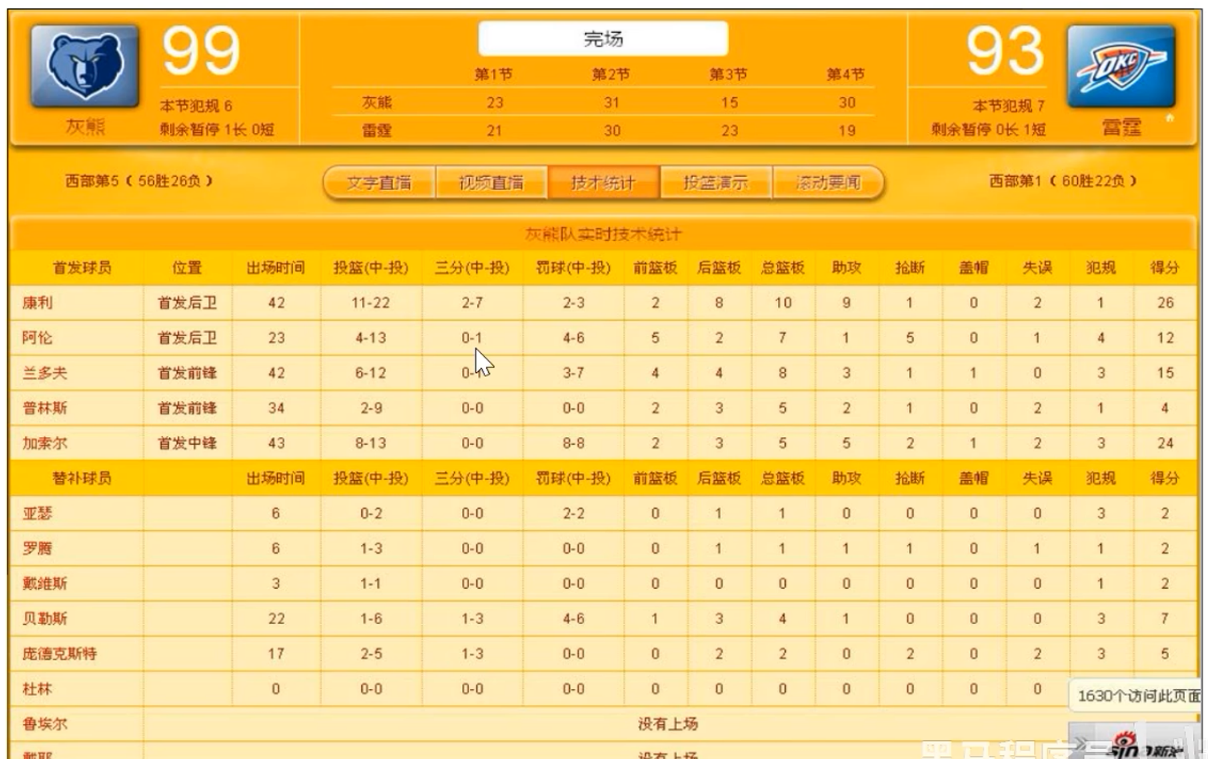
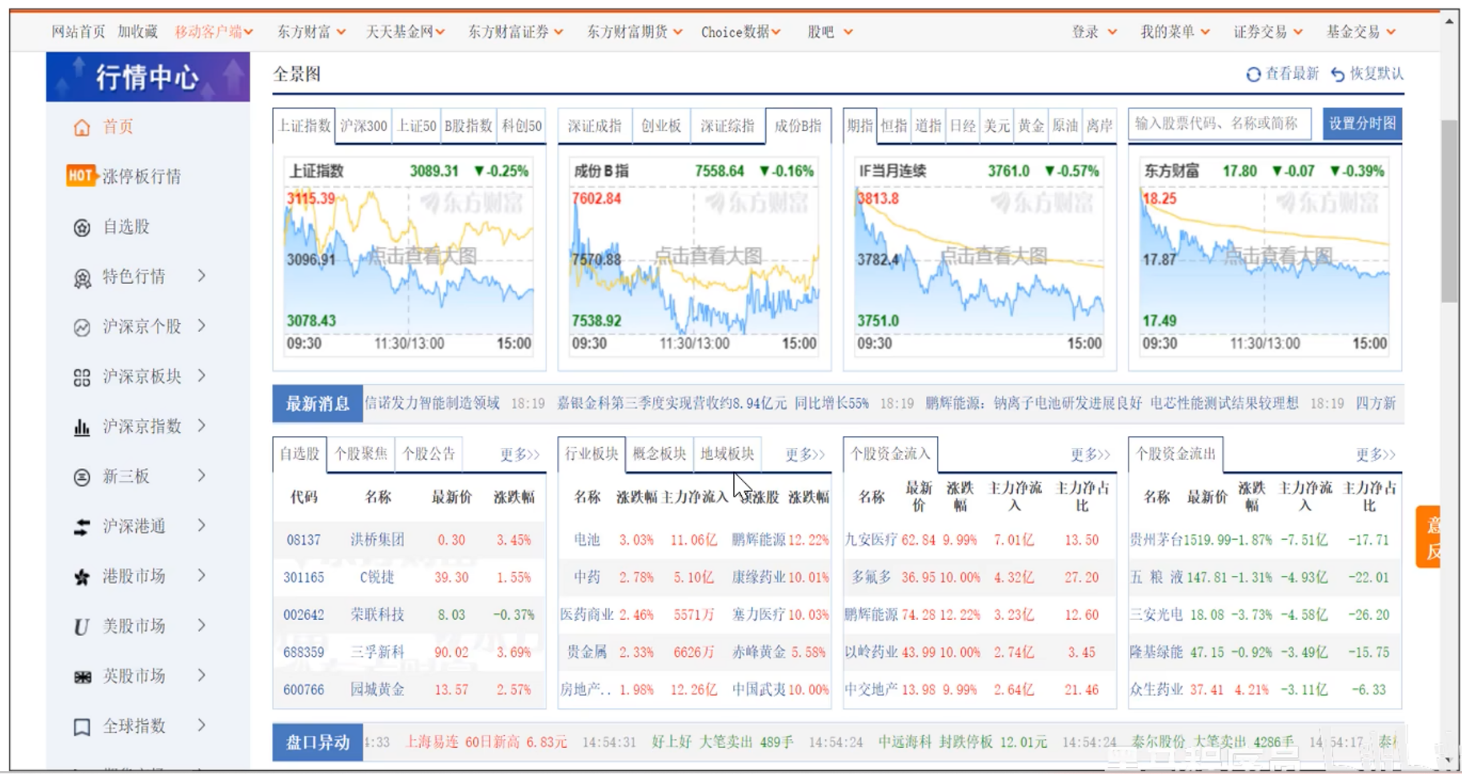
应用场景: 视频弹幕/网页聊天/体育实况更新/股票基金报价实时更新

入门案例
使用webcocket.html页面作为客户端, 双击打开即用
<!DOCTYPE HTML>
<html>
<head><meta charset="UTF-8"><title>WebSocket Demo</title>
</head>
<body><input id="text" type="text" /><button onclick="send()">发送消息</button><button onclick="closeWebSocket()">关闭连接</button><div id="message"></div>
</body>
<script type="text/javascript">var websocket = null;var clientId = Math.random().toString(36).substr(2);//判断当前浏览器是否支持WebSocketif('WebSocket' in window){//连接WebSocket节点websocket = new WebSocket("ws://localhost:8080/ws/"+clientId);}else{alert('Not support websocket')}//连接发生错误的回调方法websocket.onerror = function(){setMessageInnerHTML("error");};//连接成功建立的回调方法websocket.onopen = function(){setMessageInnerHTML("连接成功");}//接收到消息的回调方法websocket.onmessage = function(event){setMessageInnerHTML(event.data);}//连接关闭的回调方法websocket.onclose = function(){setMessageInnerHTML("close");}//监听窗口关闭事件,当窗口关闭时,主动去关闭websocket连接,防止连接还没断开就关闭窗口,server端会抛异常。window.onbeforeunload = function(){websocket.close();}//将消息显示在网页上function setMessageInnerHTML(innerHTML){document.getElementById('message').innerHTML += innerHTML + '<br/>';}//发送消息function send(){var message = document.getElementById('text').value;websocket.send(message);}//关闭连接function closeWebSocket() {websocket.close();}
</script>
</html>
- 大部分浏览器都支持websocket, 通过new WebSocket就可以创建WebScoket对象
导入Maven坐标
<dependency><groupId>org.springframework.boot</groupId><artifactId>spring-boot-starter-websocket</artifactId>
</dependency>
创建WebSocket服务类, 用于处理客户端的通信, 类似于Controller
/** * WebSocket服务*/
@Component
@ServerEndpoint("/ws/{sid}")
public class WebSocketServer {//存放会话对象private static Map<String, Session> sessionMap = new HashMap();/*** 连接建立成功调用的方法*/@OnOpenpublic void onOpen(Session session, @PathParam("sid") String sid) {System.out.println("客户端:" + sid + "建立连接");sessionMap.put(sid, session);}/*** 收到客户端消息后调用的方法** @param message 客户端发送过来的消息*/@OnMessagepublic void onMessage(String message, @PathParam("sid") String sid) {System.out.println("收到来自客户端:" + sid + "的信息:" + message);}/*** 连接关闭调用的方法** @param sid*/@OnClosepublic void onClose(@PathParam("sid") String sid) {System.out.println("连接断开:" + sid);sessionMap.remove(sid);}/*** 群发** @param message*/public void sendToAllClient(String message) {Collection<Session> sessions = sessionMap.values();for (Session session : sessions) {try {//服务器向客户端发送消息session.getBasicRemote().sendText(message);} catch (Exception e) {e.printStackTrace();}}}}
配置类: 用于创建WebSocket的服务对象, 并交给IOC容器管理
/**
* WebSocket配置类,用于注册WebSocket的Bean*/
@Configuration // 声明配置类
public class WebSocketConfiguration {@Bean //程序运行时,创建WebSocket的服务对象,把对象交给IOC容器管理public ServerEndpointExporter serverEndpointExporter() {return new ServerEndpointExporter();}}
使用WebSocket服务, 完成浏览器/服务器的双向通信
@Component
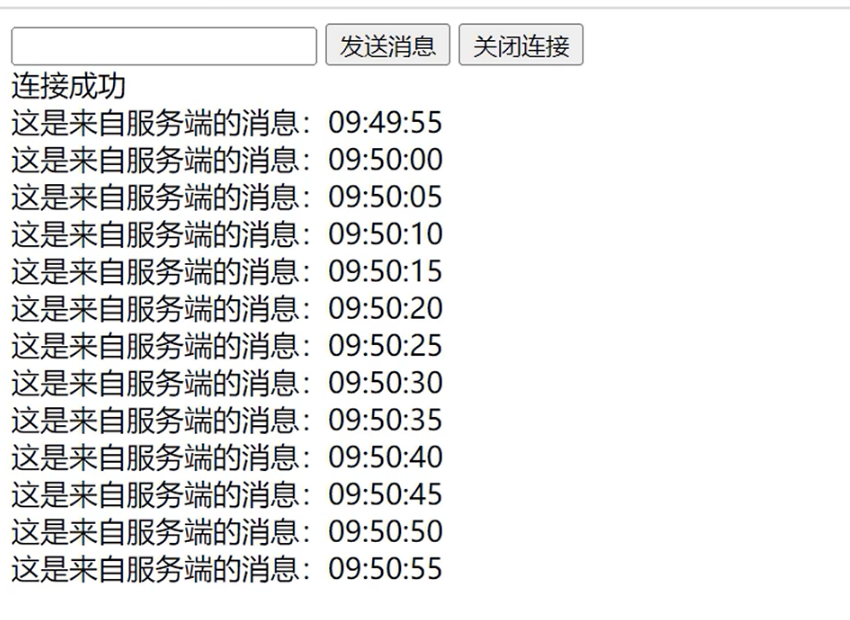
public class WebSocketTask {@Autowiredprivate WebSocketServer webSocketServer;/*** 通过WebSocket每隔5秒向客户端发送消息*/@Scheduled(cron = "0/5 * * * * ?")public void sendMessageToClient() {webSocketServer.sendToAllClient("这是来自服务端的消息:" + DateTimeFormatter.ofPattern("HH:mm:ss").format(LocalDateTime.now()));}
}
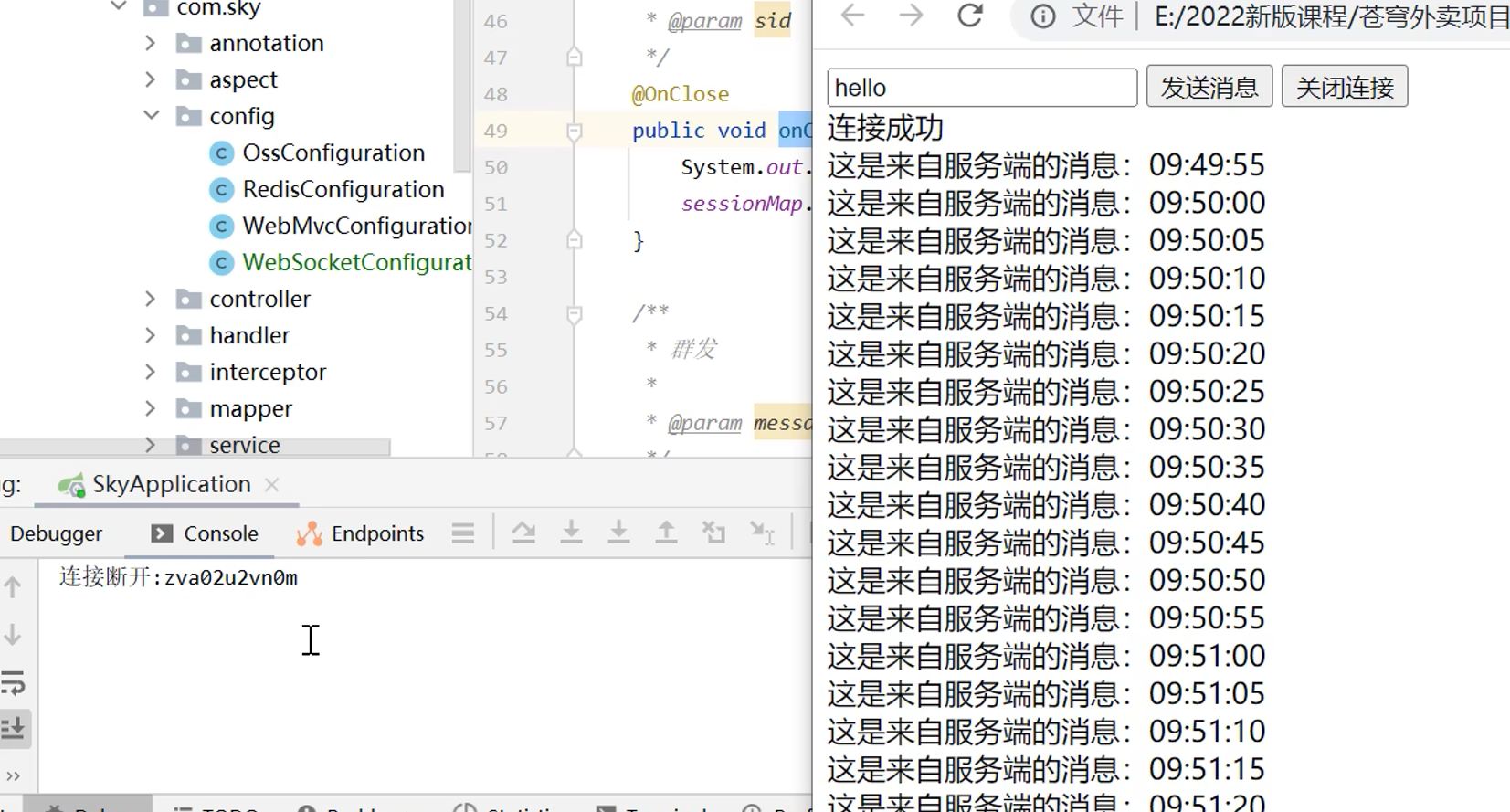
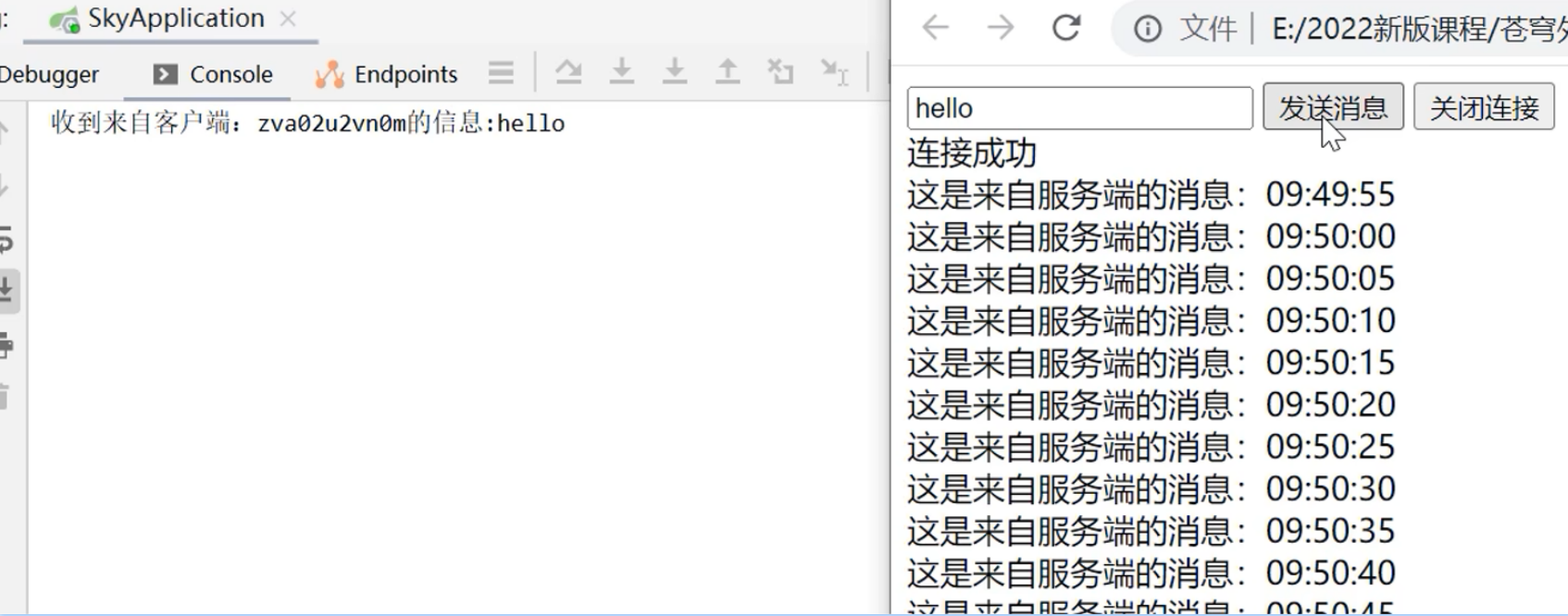
功能测试: 启动前端页面, 建立WebSocket连接, 服务端通过定时任务类定时给前端推送消息, 前端也可以给服务端发送消息
来单提醒
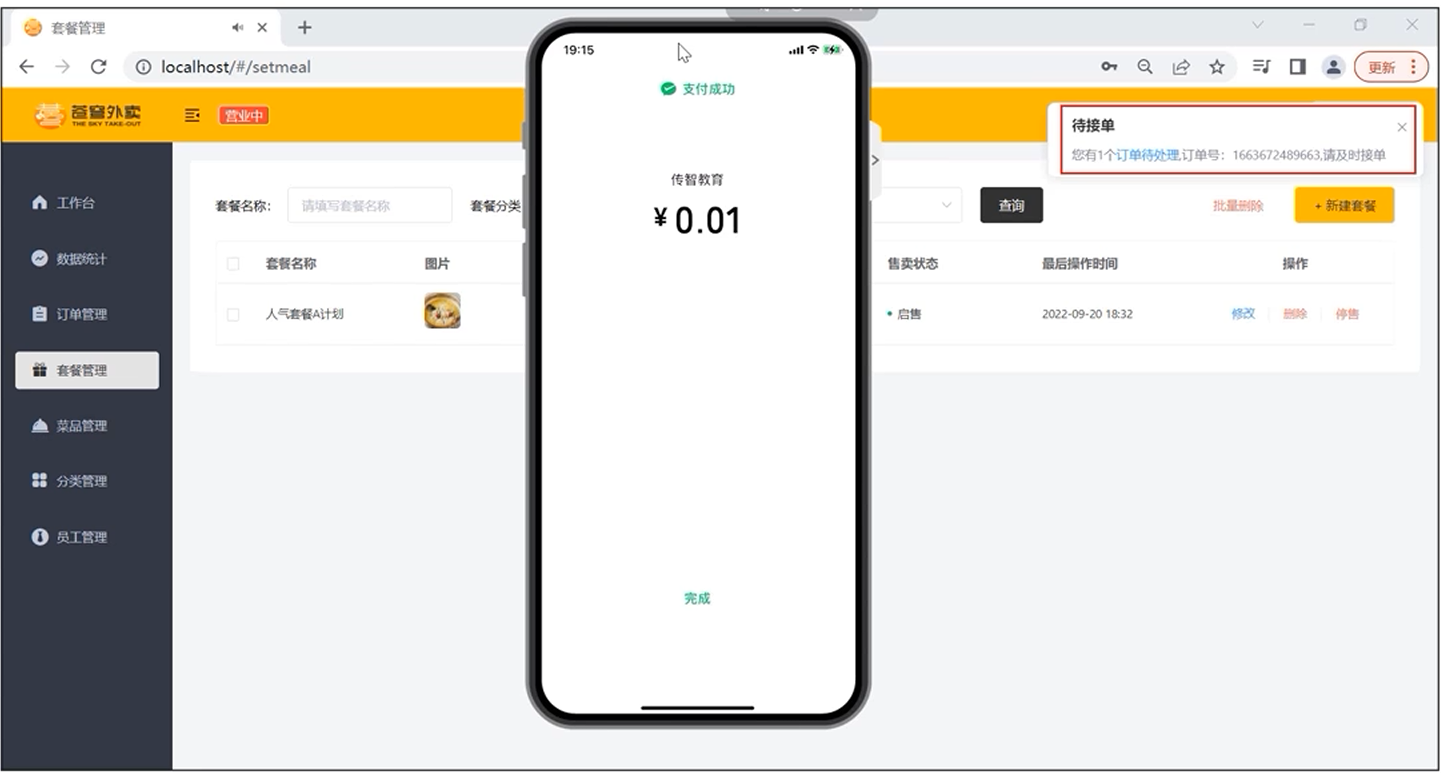
需求分析: 用户下单并且支付成功后, 需要在第一时间通知外卖商家, 通知的形式是 语音提醒 + 弹出提示框
思路分析
- 通过WebSocket实现管理端页面和服务端的长连接
- 当客户支付后, 调用WebSocket的相关API实现服务端向客户端推送消息
- 客户端浏览器解析服务端推送的消息, 判断是来单提醒还是客户催单, 进行相应的消息提示和语音播报
- 约定服务端发送给管理端页面的数据格式为JSON格式
- type: 消息类型, 1是来单提醒, 2是客户催单
- orderId: 订单id
- content: 消息内容
代码开发: 基于WebSocket入门案例改造代码
@Service
@Slf4j
public class OrderServiceImpl implements OrderService {@Autowiredprivate WebSocketServer webSocketServer;/*** 支付成功,修改订单状态** @param outTradeNo*/public void paySuccess(String outTradeNo) {// 根据订单号查询订单Orders ordersDB = orderMapper.getByNumber(outTradeNo);// 根据订单id更新订单的状态、支付方式、支付状态、结账时间Orders orders = Orders.builder().id(ordersDB.getId()).status(Orders.TO_BE_CONFIRMED).payStatus(Orders.PAID).checkoutTime(LocalDateTime.now()).build();orderMapper.update(orders);// 通过webscoket向客户端浏览器推送消息Map map = new HashMap();map.put("type", 1); // 1:来单提醒, 2:客户催单map.put("orderId", ordersDB.getId());map.put("content", "订单号:" + outTradeNo);String json = JSON.toJSONString(map);webSocketServer.sendToAllClient(json);}
}
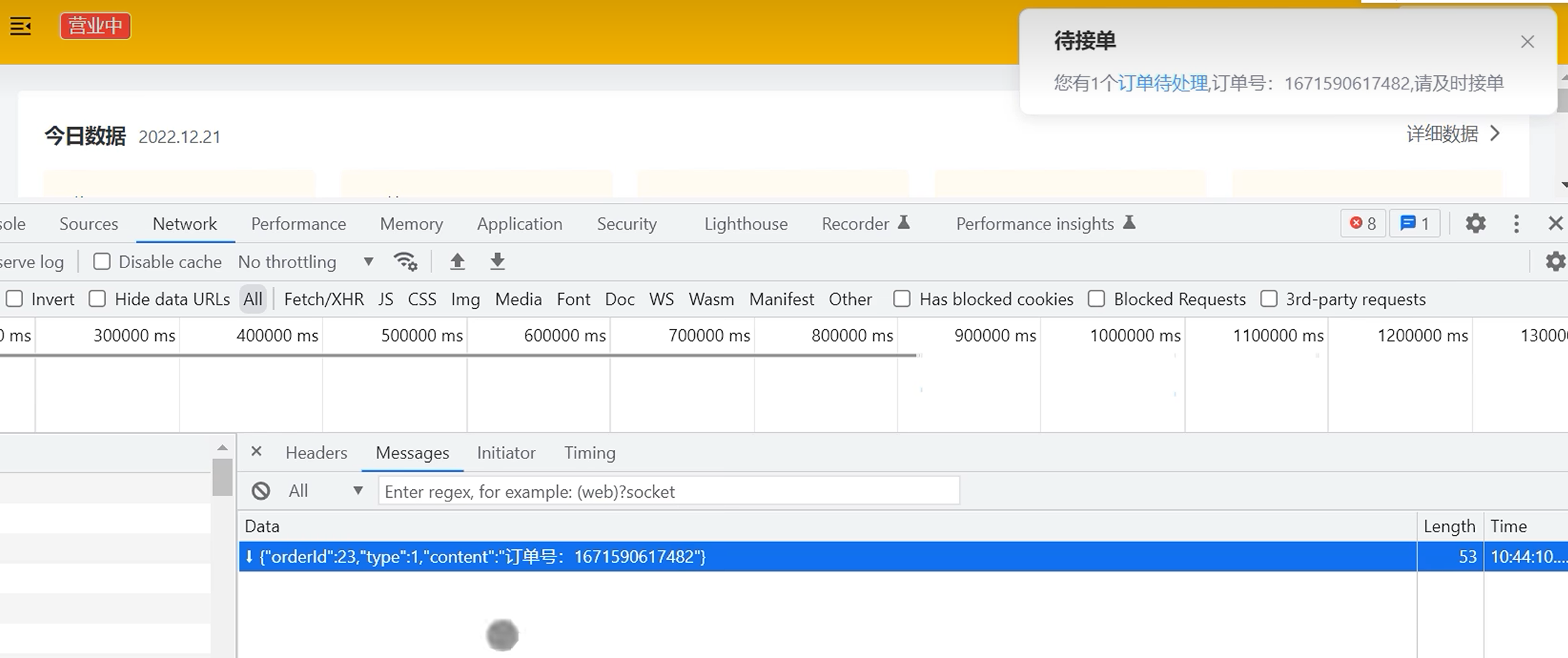
功能测试: 客户端下单并支付成功后, 商家管理端进行语音播报并弹出提示框
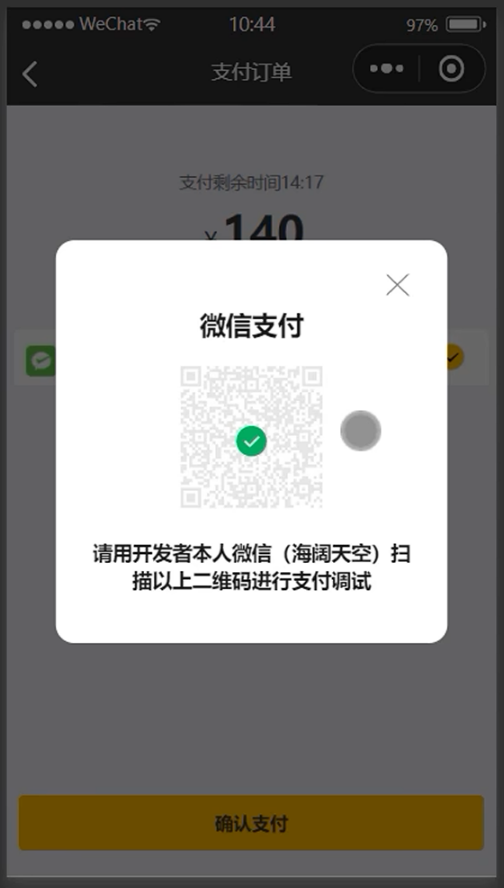
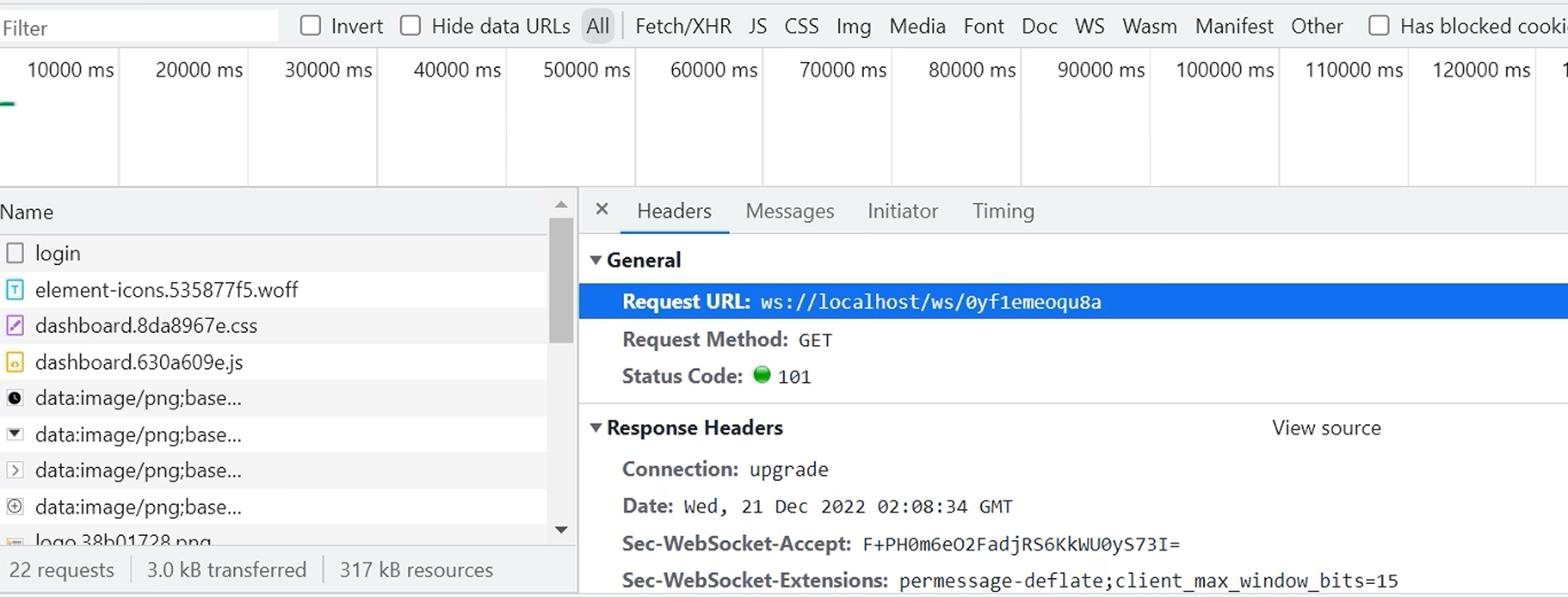
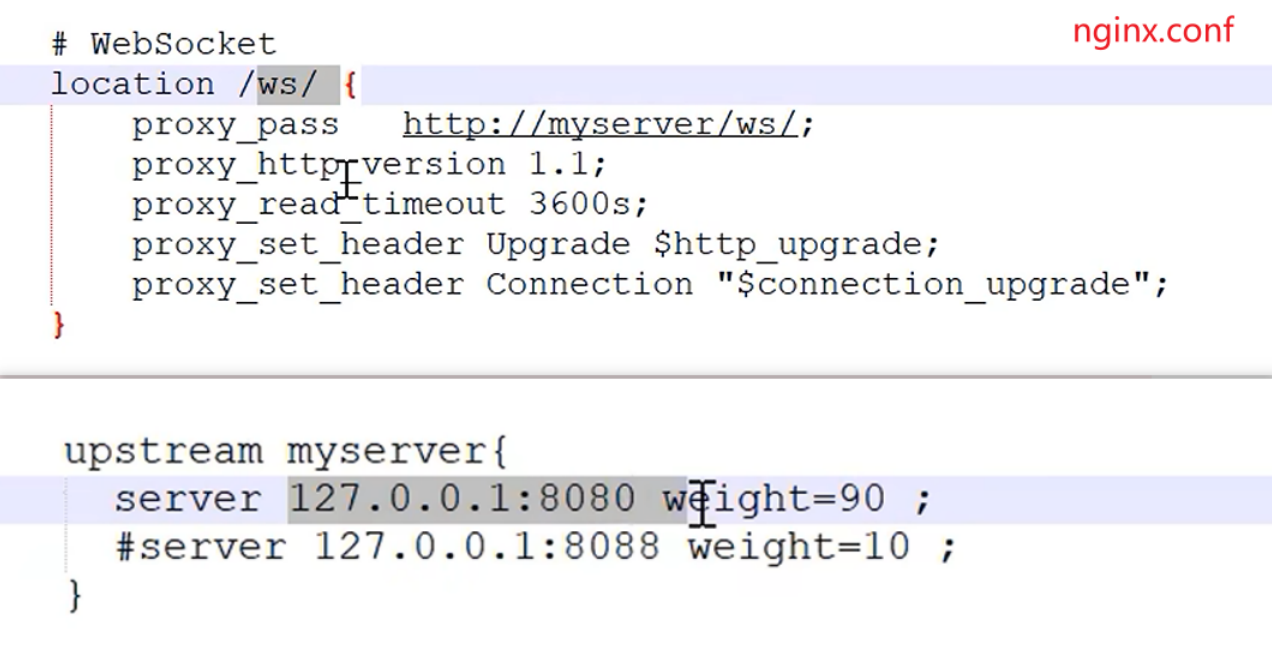
交互说明: 客户端的websocket请求也是经过nginx服务器进行的代理转发
客户催单
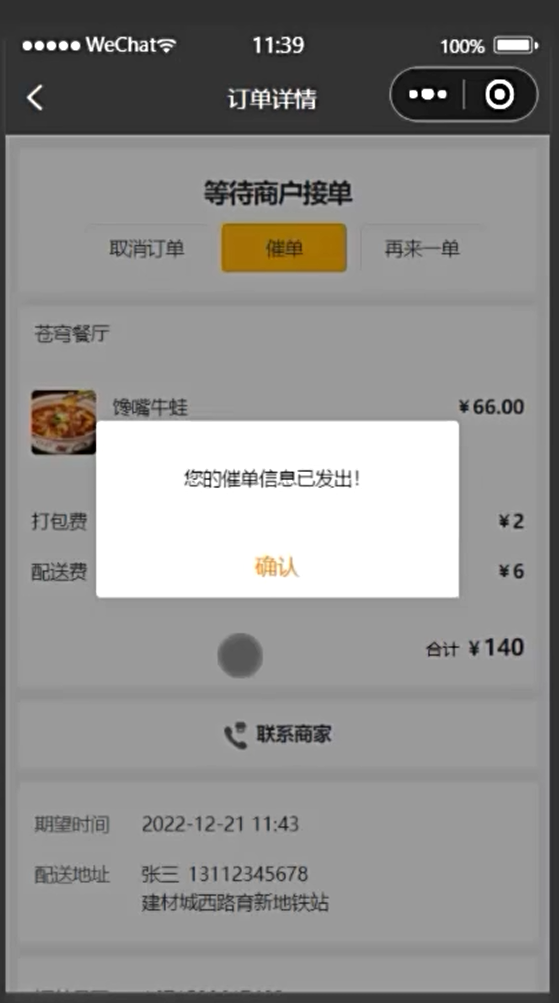
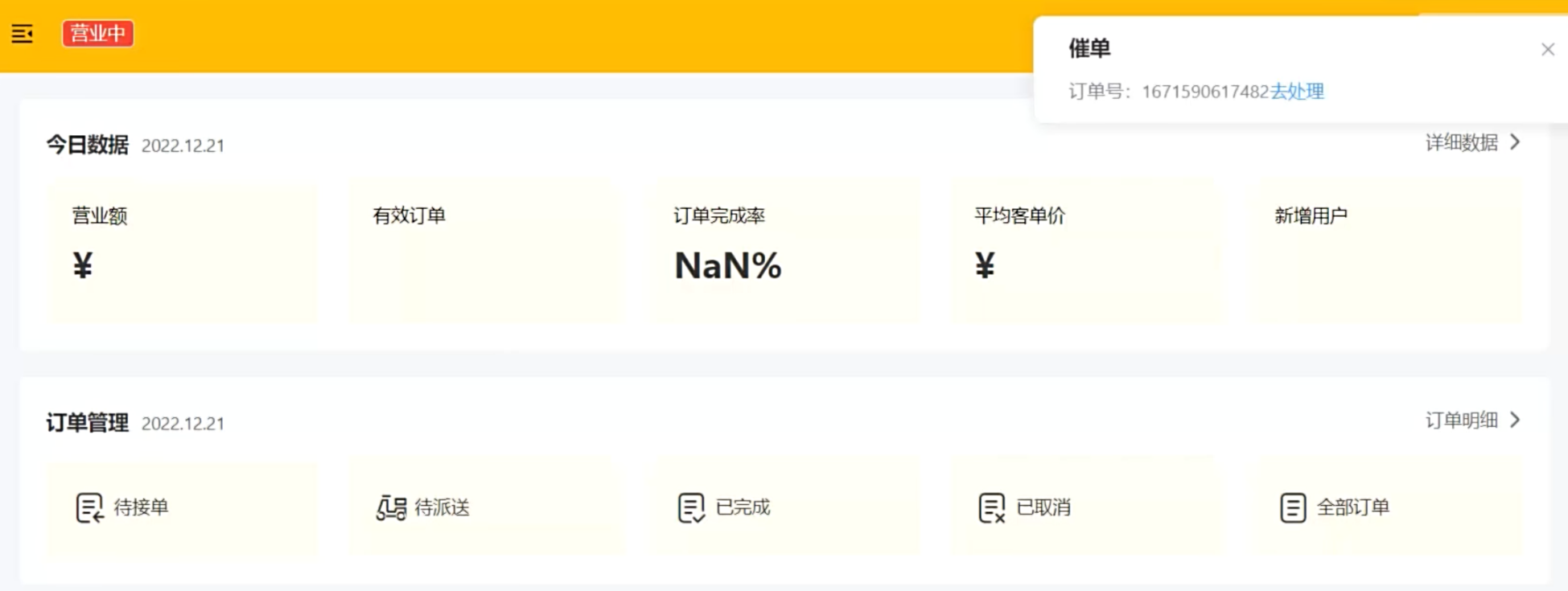
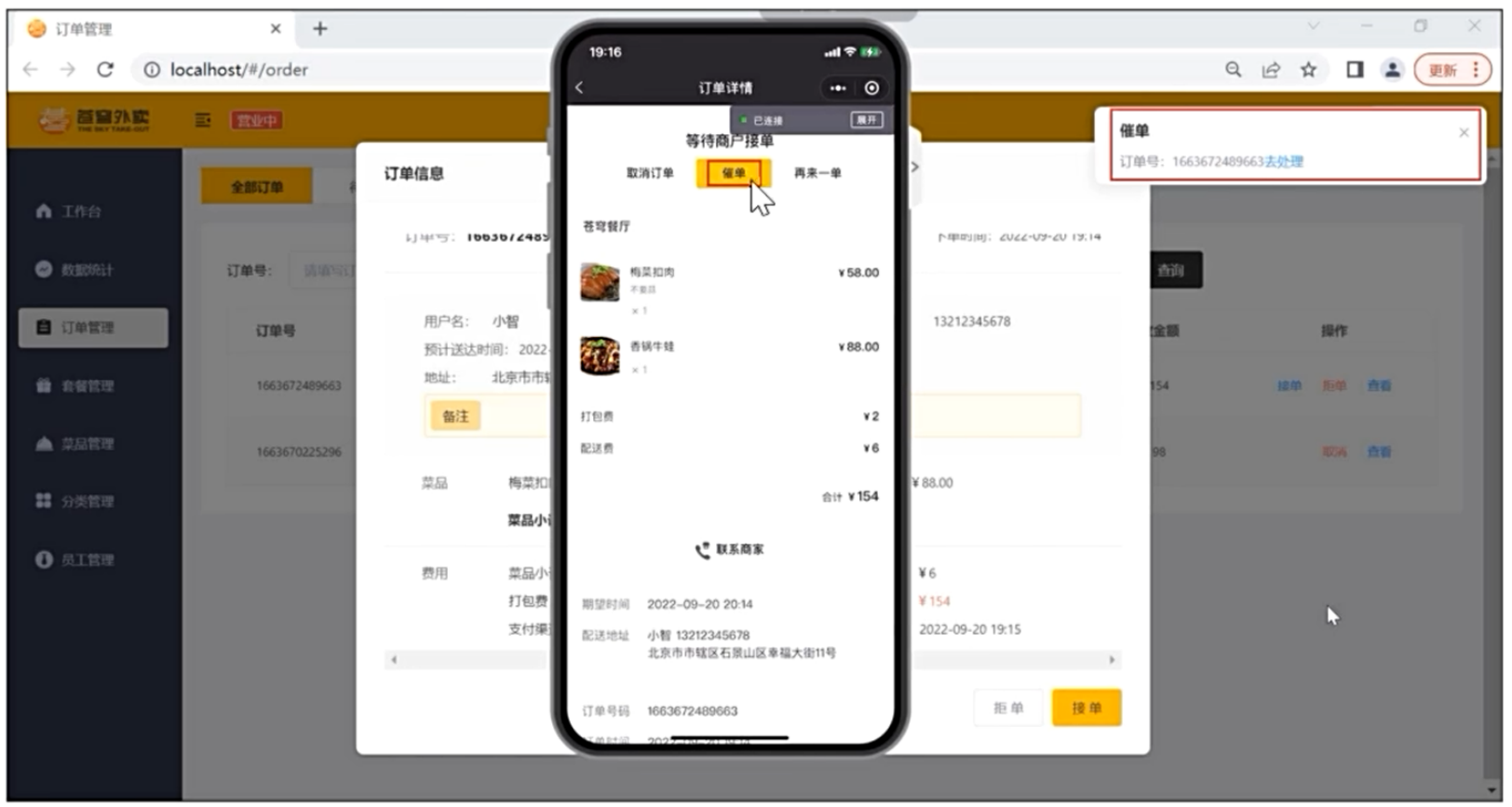
需求分析: 用户在小程序中点击催单按钮后, 需要通知外卖商家, 通知形式是语音播报 + 弹出提示框
流程分析
- 通过WebSocket实现管理端页面和服务端的长连接
- 客户点击催单按钮后, 发起催单请求, 服务端收到请求后, 通过WebSocket, 推送消息给管理端页面
- 管理端页面拿到消息后, 进行相应的消息提示和语言播报
- 约定服务端发送给管理端页面的数据格式为JSON
- type: 消息类型, 1: 来单提醒, 2: 客户催单
- orderId: 订单id
- content: 消息内容
接口设计
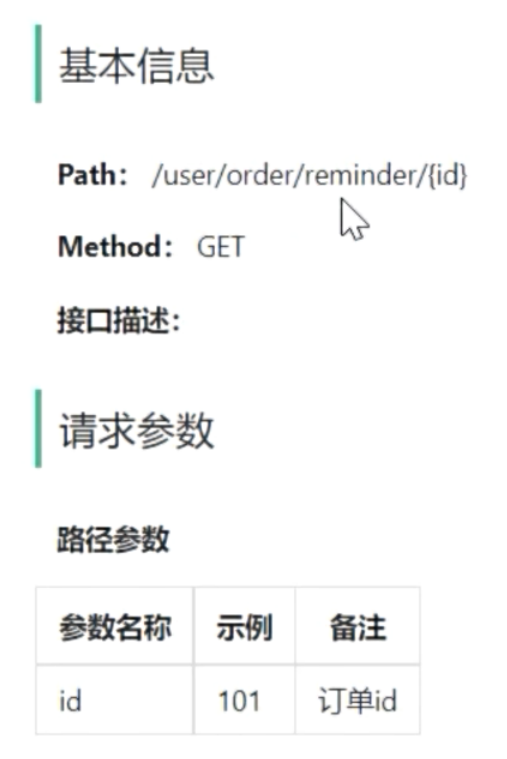
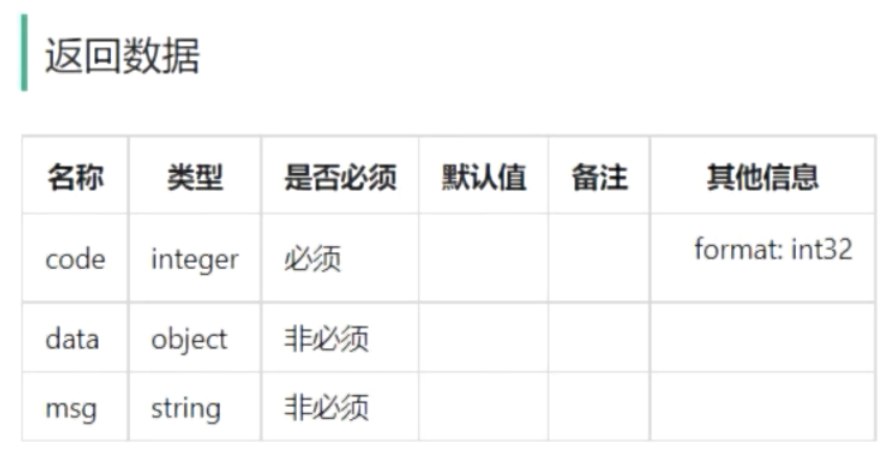
代码实现
@RestController("userOrderController")
@RequestMapping("/user/order")
@Slf4j
@Api(tags = "用户端订单相关接口")
public class OrderController {@Autowiredprivate OrderService orderService;/*** 客户催单*/@GetMapping("/reminder/{id}")@ApiOperation("客户催单")public Result reminder(@PathVariable Long id) {log.info("订单id:{}", id);orderService.reminder(id);return Result.success();}
}
public interface OrderService {/*** 客户催单* @param id*/void reminder(Long id);
}
@Service
@Slf4j
public class OrderServiceImpl implements OrderService {@Autowiredprivate OrderMapper orderMapper;@Autowiredprivate WebSocketServer webSocketServer;/*** 客户催单** @param id*/public void reminder(Long id) {// 根据id查询订单Orders ordersDB = orderMapper.getById(id);// 校验订单是否存在if (ordersDB == null) {throw new OrderBusinessException(MessageConstant.ORDER_STATUS_ERROR);}Map map = new HashMap();map.put("type", 2); // 1表示来单提醒, 2表示客户催单map.put("orderId", id);map.put("content", "订单号:" + ordersDB.getNumber());webSocketServer.sendToAllClient(JSON.toJSONString(map));}
}
功能测试: 用户点击催单按钮, 商家管理端播放语音提示, 并弹出消息框