
建站知识软文推广策划方案
上一篇文章通过easyexcel导出数据到excel表格已经实现了简单的数据导出功能,这篇文章也介绍一下怎么通过easyexcel从excel表格中导入数据。
目录
一、前端代码
index.html
index.js
二、后端代码
controller
service
SongServiceImpl
三、功能预览
四、后端代码改进
频繁访问数据库问题
首先,需要在实体类中添加需要导出的字段,@ExcelIgnore注解表示该字段不会被导出到excel,当然,导入的时候也不会读这个字段。
package com.example.springboot.entity;import com.alibaba.excel.annotation.ExcelIgnore;
import com.alibaba.excel.annotation.ExcelProperty;
import com.baomidou.mybatisplus.annotation.IdType;
import com.baomidou.mybatisplus.annotation.TableField;
import com.baomidou.mybatisplus.annotation.TableId;
import com.baomidou.mybatisplus.annotation.TableName;
import com.fasterxml.jackson.annotation.JsonFormat;
import lombok.Data;import java.io.Serializable;
import java.time.LocalDateTime;/*** 歌曲* @author heyunlin* @version 1.0*/
@Data
@TableName("song")
public class Song implements Serializable {private static final long serialVersionUID = 18L;@ExcelProperty("歌曲编号")@TableId(type = IdType.INPUT)private String id;/*** 歌曲名*/@ExcelProperty("歌曲名")private String name;/*** 歌手*/@ExcelProperty("歌手")private String singer;/*** 描述信息*/@ExcelProperty("描述信息")private String note;/*** 最后一次修改时间*/@ExcelIgnore@TableField("last_update_time")@JsonFormat(pattern = "yyyy-MM-dd HH:mm:ss", timezone = "GMT+8")private LocalDateTime lastUpdateTime;
}
一、前端代码
在之前的easyui-crud项目的基础上修改,切换到最新代码分支springboot-crud2.0
springboot+mybatis实现增删查改的入门项目。 https://gitee.com/he-yunlin/springboot-crud.git在原来的页面上添加一个对话框,对话框内放一个easyui的filebox,同时,让filebox镶嵌在一个form表单内,因为要对该表单进行必填验证,只有选择了文件才能点击上传按钮。
index.html
<!DOCTYPE html>
<html><head><meta charset="utf-8"><title>easyui crud应用</title><link rel="stylesheet" href="/css/themes/icon.css" /><link rel="stylesheet" href="/css/themes/default/easyui.css" /><script src="/js/jquery.min.js"></script><script src="/js/jquery.easyui.min.js"></script><script src="/js/easyui-lang-zh_CN.js"></script><script src="/js/datagrid-filter.js"></script><script src="/js/index.js"></script></head><body><div id="import_dialog" style="display:none;"><form id="import_form"><table style="border-spacing:5px;"><tr><td>上传文件:</td><td><input id="select_file" /></td></tr><tr><td>文件名称:</td><td><div id="file-name"></div></td></tr><tr><td>文件大小:</td><td><div id="file-size"></div></td></tr></table></form></div><table id="song_list"></table></body>
</html>
index.js
在原来的js代码中添加以下代码,这里渲染了刚刚在页面中添加的对话框和输入框,然后在表格的头部工具栏中添加了一个导入按钮。
let form = new FormData();function importHandler() {requestUrl = "/song/import";$("#file-name").empty();$("#file-size").empty();$("#import_dialog").dialog("open");
}$(document).ready(function() { $("#select_file").filebox({buttonText: "选择文件",width: 200,required: true,onChange: function() {let file = $(this).context.ownerDocument.activeElement.files[0];form.append("file", file);$("#file-name").html(file.name);$("#file-size").html((file.size / 1024).toFixed(1) + "KB");}})$("#import_dialog").dialog({title: "数据导入",modal: true,closed: true,closable: true,draggable: false,buttons: [{iconCls: "icon-ok",text: "导入",handler: function() {let bool = $("#import_form").form("validate");if (bool) {$.ajax({url: requestUrl,data: form,cache: false,async: true,type: "POST",dataType: "json",processData: false,contentType: false,success: function (response) {$.messager.show({title: "系统消息",timeout: 5000,showType: "slide",msg: response.message,});$("#import_dialog").dialog("close");$("#member_list").datagrid("reload");},error: function (resp) {// 请求有响应if (resp && resp.responseJSON) {let response = resp.responseJSON;let status = resp.status;if (status) {let message;if (status === 404) { // 404 not foundif (response.path) {message = "路径" + response.path + "不存在。";} else {message = response.message;}} else {message = response.message;}$.messager.alert("系统提示", message, "error");console.log("响应状态码:" + status + ", 响应消息:" + message);} else {console.log("请求没有响应状态码~");}} else {console.log("请求无响应~");}}});} else {$.messager.alert("系统提示", "请选择文件", "warning");}}}, {iconCls: "icon-cancel",text: "取消",handler: function() {$("#select_file").filebox("initValue", null);$("#import_dialog").dialog("close");form.delete("file");}}]});let datagrid = $("#song_list").datagrid({url: "/song/selectByPage",title: "歌曲列表",toolbar: [{iconCls: "icon-upload",text: "导入",handler: function() {importHandler();}}],columns: [[{field: "id", title: "id", width: 200},{field: "name", title: "name", width: 200, editor: "textbox"},{field: "singer", title: "singer", width: 200, editor: "textbox"},{field: "note", title: "note", width: 200, editor: "textbox"},{field: "lastUpdateTime", title: "lastUpdateTime", width: 200, sortable: true}]]});});
二、后端代码
controller
在controller中添加一个接口,请求类型为post,路径为/import,因为import是java关键字,所以方法名不能使用import,改成importData。
/*** @author heyunlin* @version 1.0*/
@RestController
@RequestMapping(path = "/song", produces="application/json;charset=utf-8")
public class SongController {private final SongService songService;@Autowiredpublic SongController(SongService songService) {this.songService = songService;}@RequestMapping(value = "/import", method = RequestMethod.POST)public void importData(MultipartFile file) throws IOException {songService.importData(file);}}
service
SongService接口添加importData()方法
/*** @author heyunlin* @version 1.0*/
public interface SongService {void importData(MultipartFile file) throws IOException;
}
SongServiceImpl
通过easyexcel的API读取上传的文件,然后根据读取的结果,判断插入或修改现有数据。
/*** @author heyunlin* @version 1.0*/
@Service
public class SongServiceImpl implements SongService {private final SongMapper songMapper;@Autowiredpublic SongServiceImpl(SongMapper songMapper) {this.songMapper = songMapper;}@Overridepublic void importData(MultipartFile file) throws IOException {EasyExcel.read(file.getInputStream(), Song.class, new ReadListener<Song>() {@Overridepublic void invoke(Song data, AnalysisContext context) {Song song = songMapper.selectById(data.getId());if (song == null) {songMapper.insert(data);} else {songMapper.updateById(data);}}@Overridepublic void doAfterAllAnalysed(AnalysisContext context) {}}).sheet().doRead();}}
三、功能预览
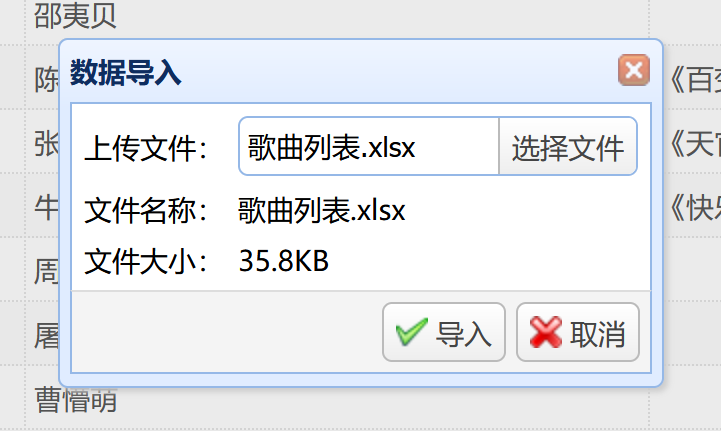
如图,选择文件之后会显示文件的预览信息,点击导入,就会通过ajax上传文件到后台controller接口。
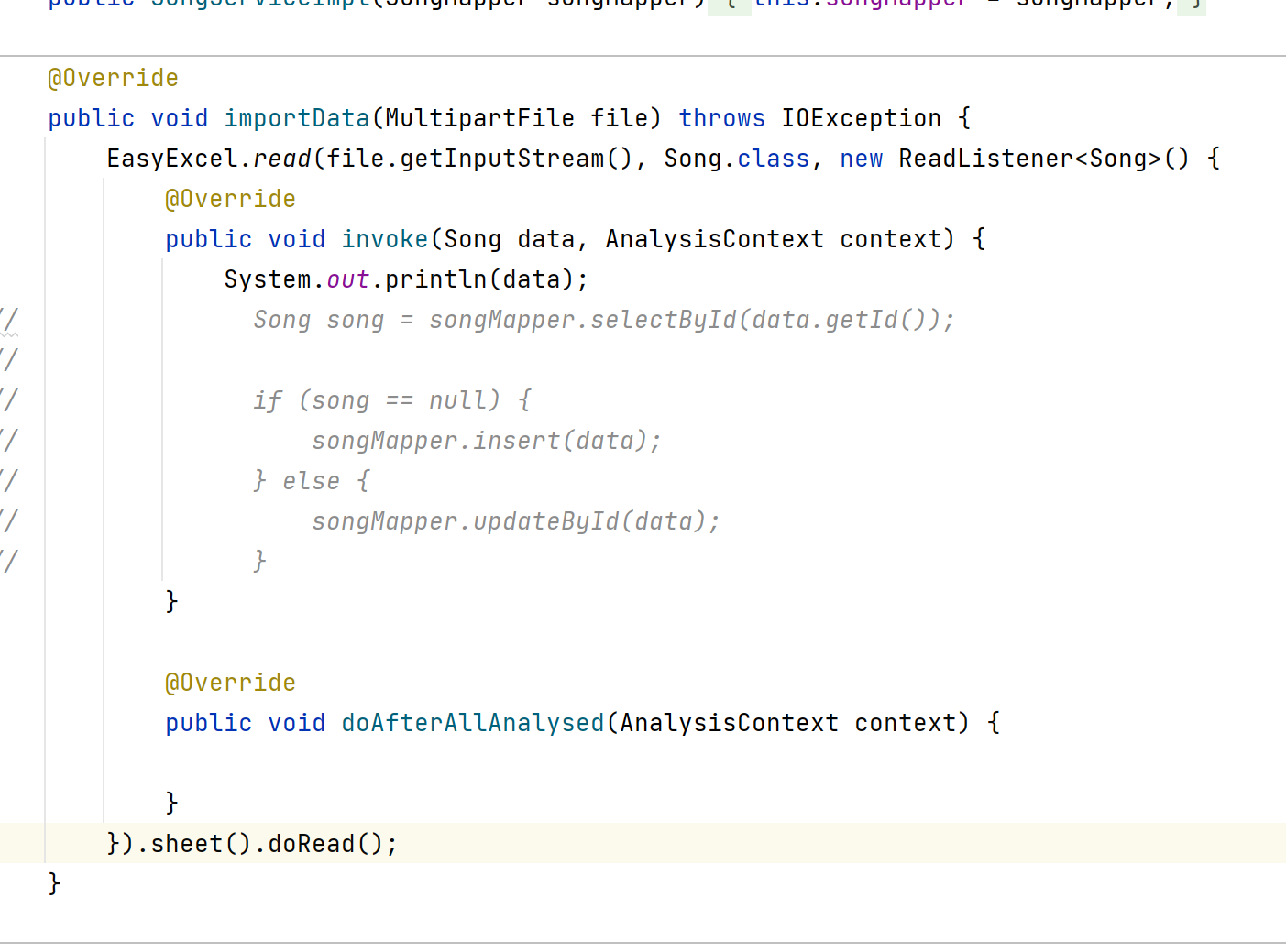
点击导入按钮,后端读取到了表格数据,并在控制台打印。

四、后端代码改进
上面的代码有一个很明显的问题
// 频繁查询数据库,excel表有多少行就查询多少次
Song song = songMapper.selectById(data.getId());
频繁访问数据库问题
对此,需要进行相应的改进,减少查询次数。
最有效的方法是一次性查询所有歌曲,然后以ID为key保存到一个map里,当然,这只适合数据量不是特别大的情况。
优化后的代码如下:
@Override
public void importData(MultipartFile file) throws IOException {// 查询全部歌曲信息List<Song> list = songMapper.selectList(null);// 把歌曲信息以ID为key保存到map中Map<String, Song> map = new HashMap<>(list.size());for (Song song : list) {map.put(song.getId(), song);}// 读excel表EasyExcel.read(file.getInputStream(), Song.class, new ReadListener<Song>() {@Overridepublic void invoke(Song data, AnalysisContext context) {if (map.containsKey(data.getId())) {songMapper.updateById(data);} else {songMapper.insert(data);}}@Overridepublic void doAfterAllAnalysed(AnalysisContext context) {}}).sheet().doRead();
}